Contacts
The Contacts section allows you to centrally manage all your professional relationships within the BY+ SDP CONNECT application.
It brings together both your customers and suppliers, offering a clear and structured view of all related information.
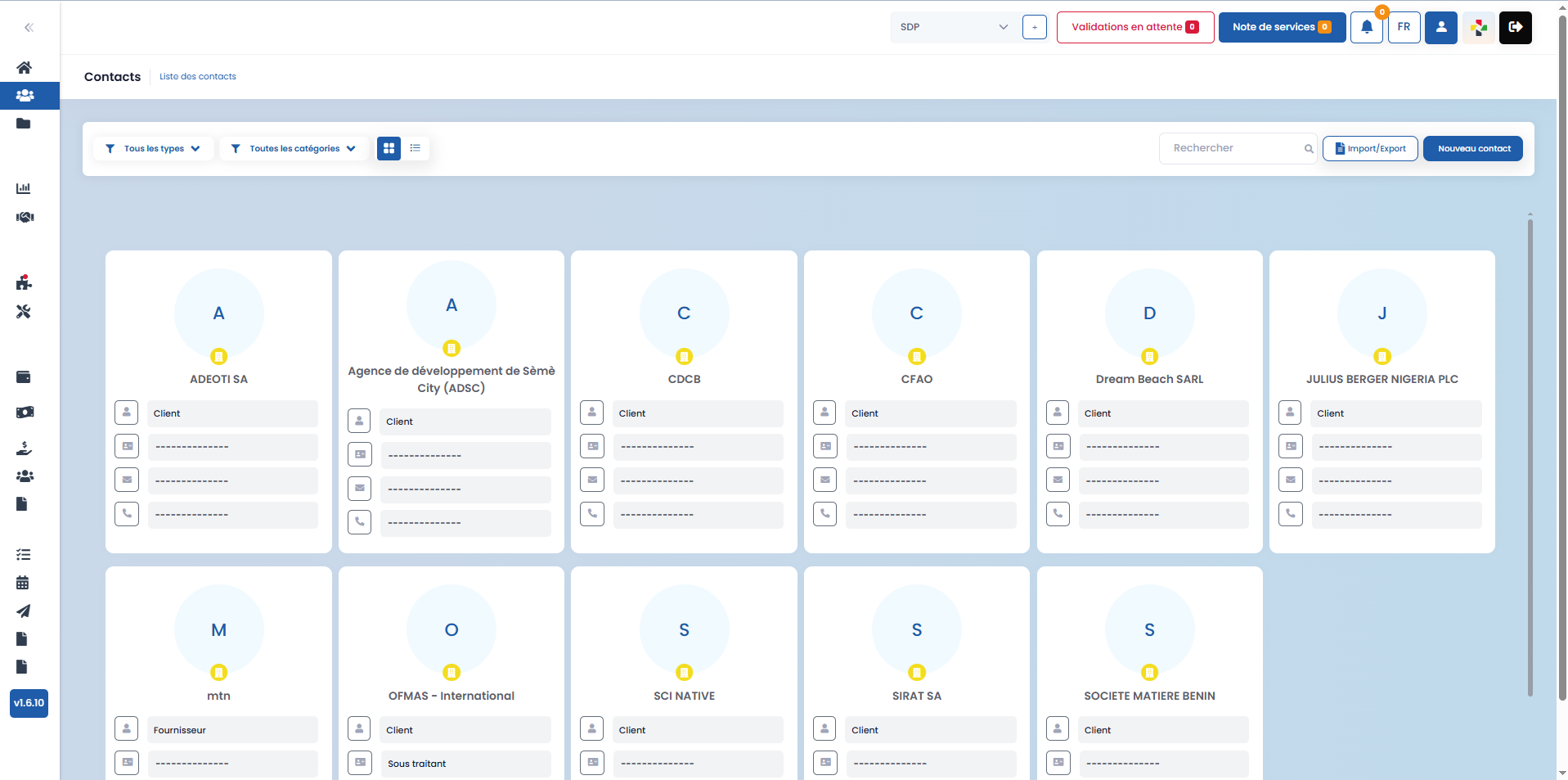
Management and Sorting
From this interface, you have two sorting options to facilitate the identification and organization of your contacts:
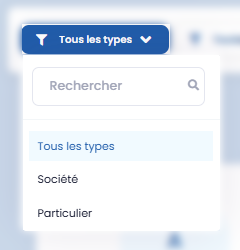
- Sort by contact type:
-
This filter allows you to display contacts based on their nature:
- company
- individual
- or both at once
-
Sort by category:
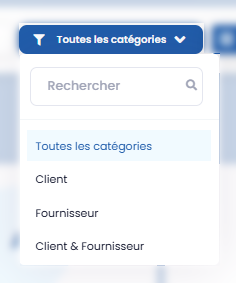
- This filter allows you to distinguish contacts based on their role:
- customers
- suppliers
- or both customers and suppliers simultaneously
These sorting options help you quickly find relevant information based on your operational needs.
Display Modes
- a list view, presenting essential information for each contact
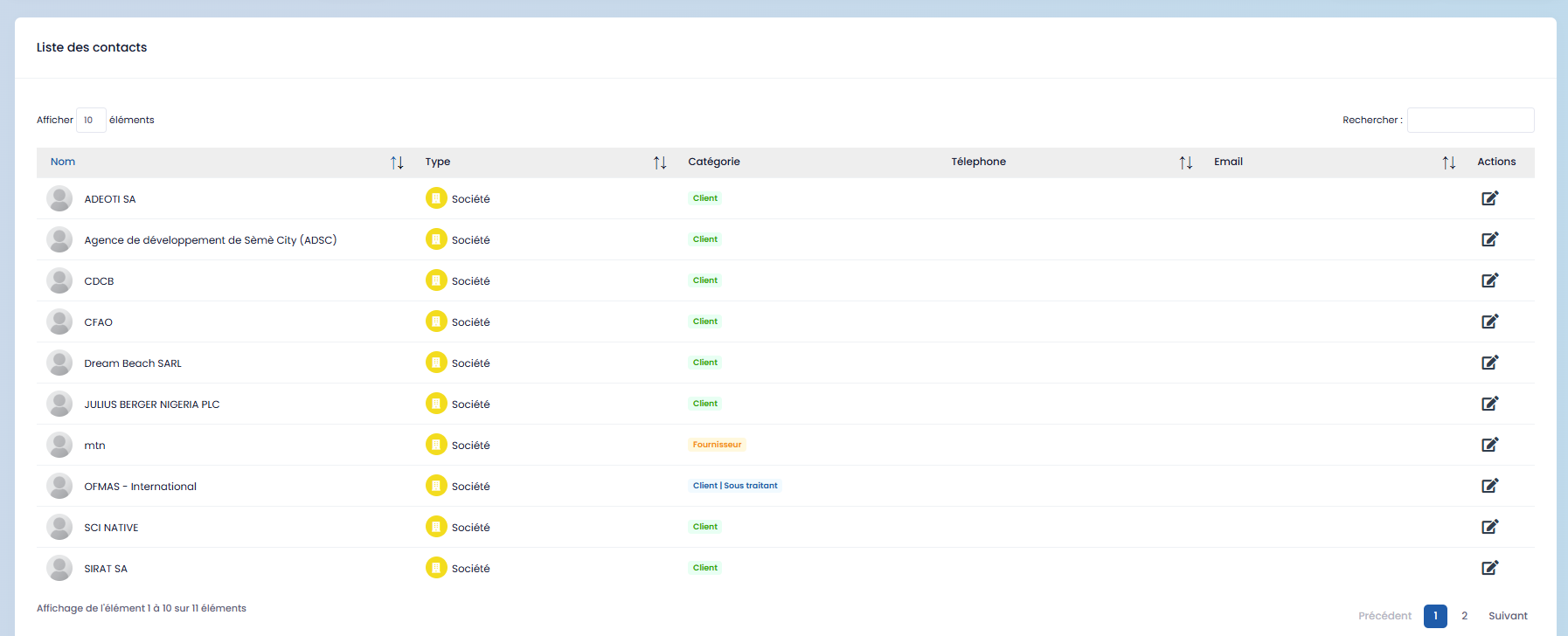
- a grid view, offering a more summarized and intuitive visualization
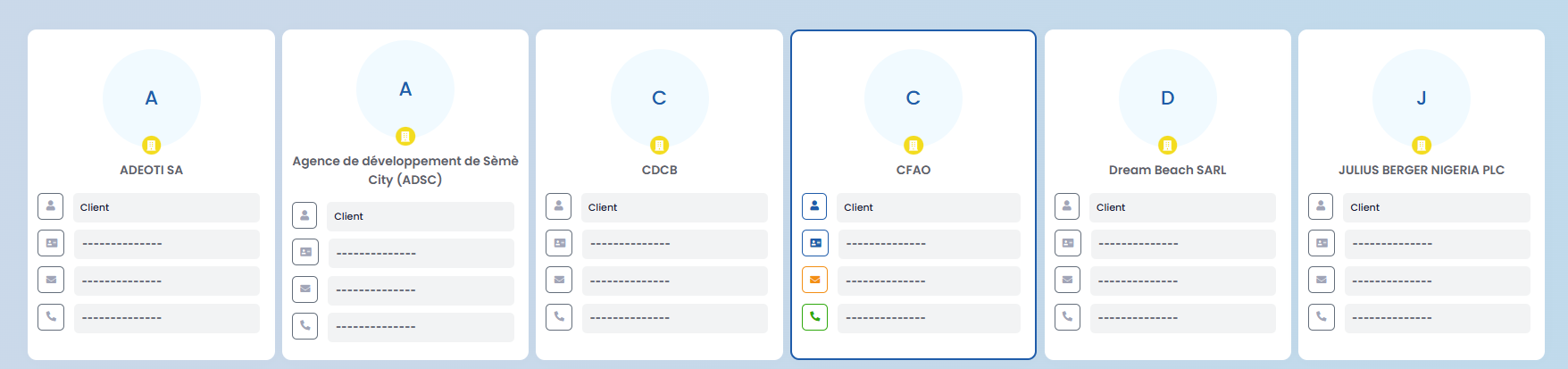
Each contact is accompanied by their personal and professional details, making daily tracking and management easier.
Importing and Exporting Contacts
The Import / Export feature allows you to easily manage your contact data:

- Import existing customers or suppliers into the application
- Export contacts already registered on BY+ SDP CONNECT
To simplify importing, a template is provided directly within the application. After activating the Import / Export feature, you can:
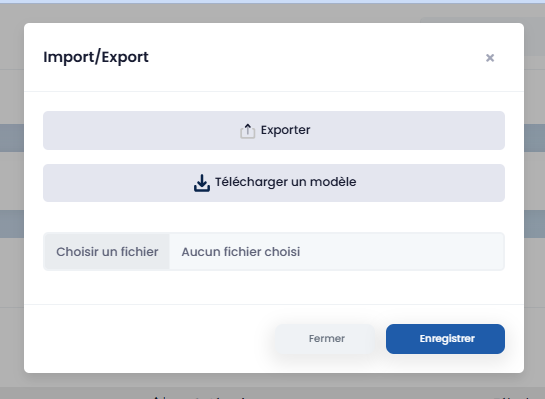
- click on "Download a template" to obtain the reference file
- fill out the template with your contacts' information
- click on "Choose a file" to upload the completed file
- save to finalize the import
This feature saves time and ensures a quick, structured integration of your data.
Adding and Tracking Contacts
Using the "New contact" button, you can create a new contact directly from this section.

Simply enter the required information in the dedicated form that appears on the screen to register the contact in the application.
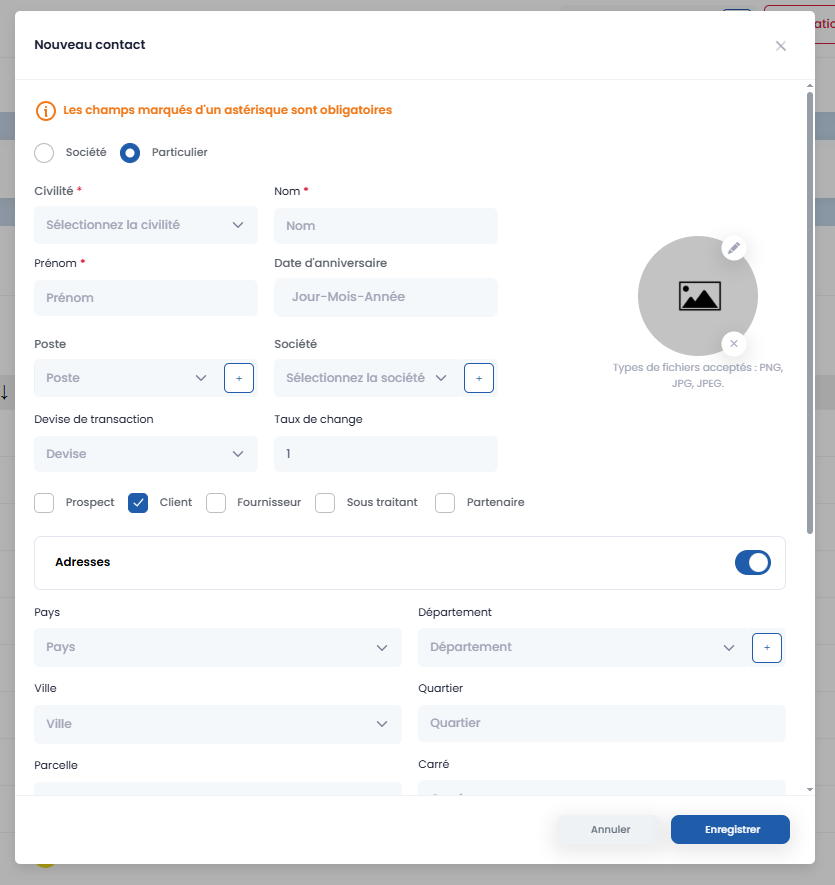
Each contact then has a detailed profile, gathering all associated information and interactions, including:
- works or projects the contact has been involved in
- associated contracts
- services provided
- contact information
- and related addresses
This centralized data ensures complete and structured tracking of each contact, allowing for better professional relationship management within BY+ SDP CONNECT.